Graphical interface
LIMA comes with a simple Qt graphical interface, the lima command of the
C++ installation (it is not part of the Python package). It is handy to try
LIMA and to look at analysis results.
- Run
lima. - Click Analyze some text in the toolbar, then write or paste some text (Analyze file analyzes a file instead).
- In the bottom bar, select the language, the output format (e.g. CoNLL Format) and the pipeline.
- Click Analyze, or press ++ctrl+shift+a++.
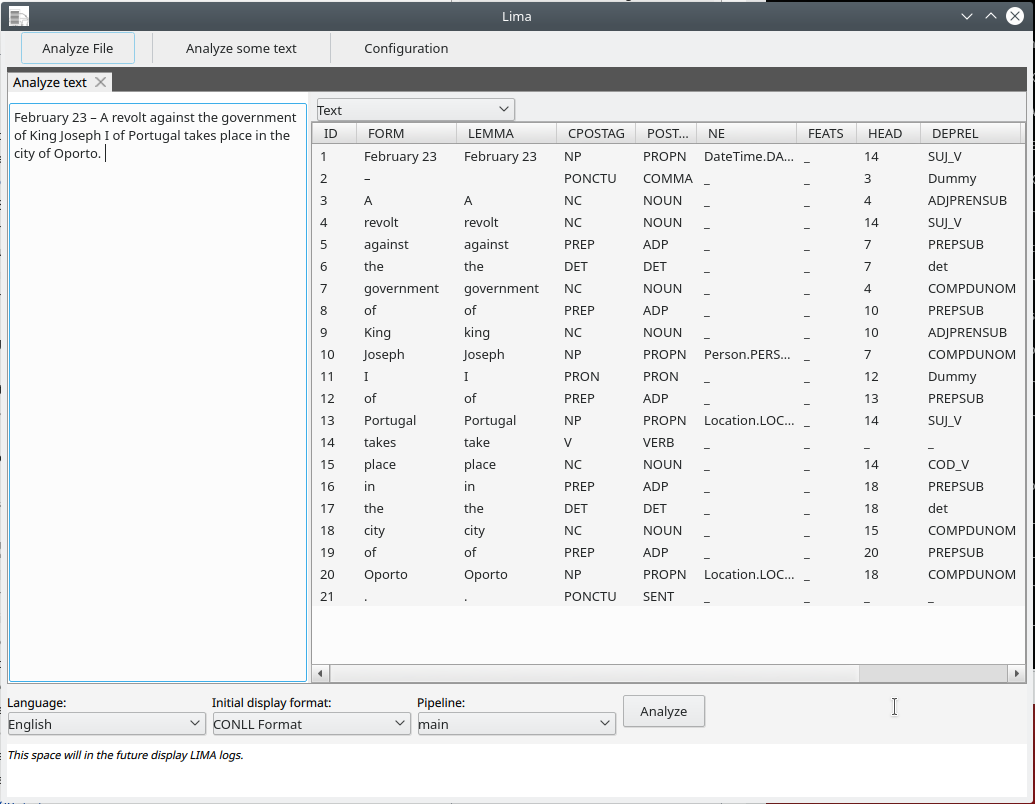
For each token you get its part of speech, its entity type if it is part of a named entity, and its syntactic head and relation (HEAD and DEPREL columns).
The interface is still basic: for real use, rely on the command line or the Python API and on the configuration files.